
Product-link import and the manual-order terms
The tutorial names Taobao, Tmall, 1688 and JD for product search. Test your exact link: the historical list does not prove that every other platform requires a manual order. The form actually used determines which terms you must review.
Policy examples captured 10 October 2026. Check the live terms for your order; tutorial screens show older interface examples.
Boundary four
Coverage as published
| Channel | Covers | What you keep |
|---|---|---|
| Link crawler | Taobao, Tmall, 1688, JD.com | applicable visual inspection and seller-dependent after-sales terms |
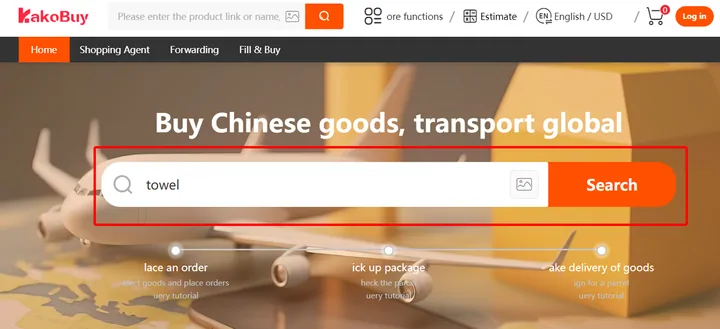
| Keyword search | product search covers only 1688, Taobao, Tmall, and JD | search coverage is not a guarantee of seller returns |
| Fill & Buy form | manual submission when an item cannot be imported or specified automatically | none of the three: the operator cannot verify quality or authenticity, the order carries no after-sales service, and once payment is made the order cannot be cancelled or modified |
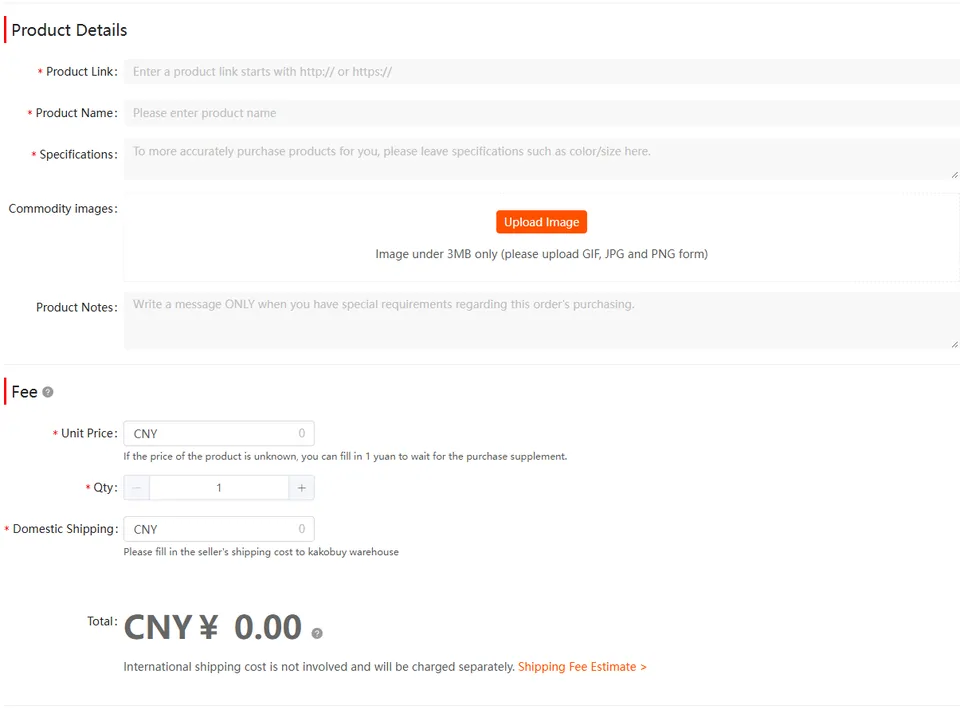
The captured manual form limits verification and after-sales support, and restricts refunds, cancellation and changes after payment. Read the current form for the actual item before accepting it. These limitations attach to that order path; a platform name alone does not establish that the manual terms apply.
Inside coverage
Choosing the listing once you are inside coverage
Weidian sits in the middle
Weidian is named in the buyer working-hours policy, while the tutorial’s search examples name four other marketplaces. These describe different functions. Try the exact product URL and inspect the result; if import fails, check the listing and use the manual alternative only after reading its terms.
Same picture, five sellers
Inside an imported listing, compare the seller, selected variant and actual terms. Storefront history and dated buyer photos can inform a choice but do not guarantee responsiveness. A 120-hour return request window does not make an excluded product returnable; see the inspection and return checks.
When a link does not import
- Open the source listing and confirm it still exists, with the variant you want.
- Copy the full product URL rather than a store home page, image address or shortened redirect.
- If the automatic import fails, review the manual form before submitting: product link, name, specifications, quantity, domestic shipping and remarks.
- For a photo catalogue, obtain the seller's actual product details and purchasing link. A picture does not establish price, stock, size or after-sales terms.
The four-platform list is the captured tutorial's search coverage, not proof that every other platform is impossible to buy from. Automatic parsing, a supported purchasing service and seller return protection are separate questions.
An imported page still needs a match check
Compare the source URL, seller, colour, size, quantity and domestic delivery charge with the imported page. If the picture is right but the selected specification is missing or different, stop before payment and ask for that specification to be confirmed. A remark should identify the choice; it should not contradict a different paid variant.
When a seller supplies only photos, request a stable product reference, current price and available specification. Save the reply with the order. If those basics remain unknown, manually entering a price does not turn them into confirmed stock.